


-
Latest Post
Showing posts with label POINT OF SALE. Show all posts
Showing posts with label POINT OF SALE. Show all posts
POINT OF SALE DAY END : STATISTICAL DATA NOT UPDATED SQL ERROR
Point Of Sale Day End Statistical Data Not Updated
while do day end of point of Sale it may show error message as " Could not create an instance of OLE DB provider 'SQLOLEDB' error trace [Non-interface error: CoCreate of DSO for SQLOLEDB returned 0x80004002]. "
Type : Type of Error SQL Error.
The above error getting when create Linked server in SQL 2000.
Solution
Kindly check whether the following pre-requisite installed in your machine.
- MDAC Components.
- SQL Service Pack 3 and 3a.
If Both were already installed in your machine, just uninstall MDAC Components from your machine re install once again.
Note: If problem still persist kindly comment using below button
via:-potools
PERMANENT SOLUTION FOR RUNTIME ERROR 70/52 IN POINT OF SALE : WINDOWS 7
Solution For Run-Time Error 70/52 In Point Of Sale
Solution : Only for windows 7 Type of Issues : Access Denied.Solution Type : Grant Permission to the Application.
Point Of Sale Issues:

Run time Error 52 in Windows 7 Stand alone machine due to non accessible of Server Component in Point of Sale.
Postman Issues:
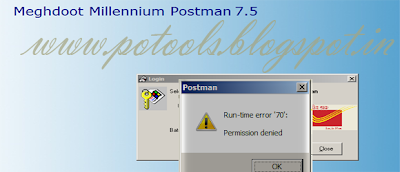
Speed Net Module Error

Permanent Solution For Permission Denied In Windows 7
Meghdoot Millennium Application is required administrator permission to open and access the database. so the we have to set always Run a Program with Administrator Permissions.

- First, find the program you want to run and its shortcut or main executable. Then, right click on it (or press and hold) to view the right-click menu. Click or tap Properties.
- Then Click on Compatibility mode (optional).
Press Apply and OK to Change Settings.